Daily Budgets
Pick the apps that pull you in and set a time limit for each — 15 minutes or 3 hours, your call.
IntentLock
Pick the apps, set a limit, and IntentLock puts up the lock screen the moment you go over — right there on your phone, with no account and no server.
Built to hold the limits you actually chose, without watching anything else.
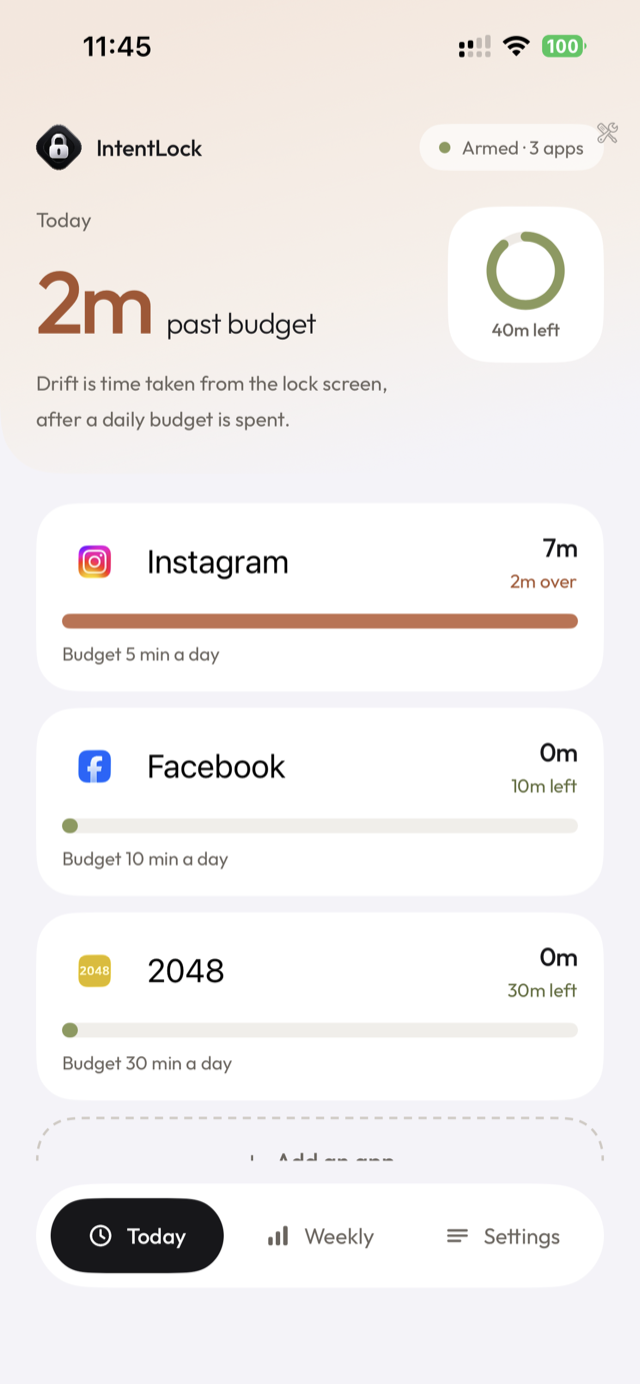
Pick the apps that pull you in and set a time limit for each — 15 minutes or 3 hours, your call.
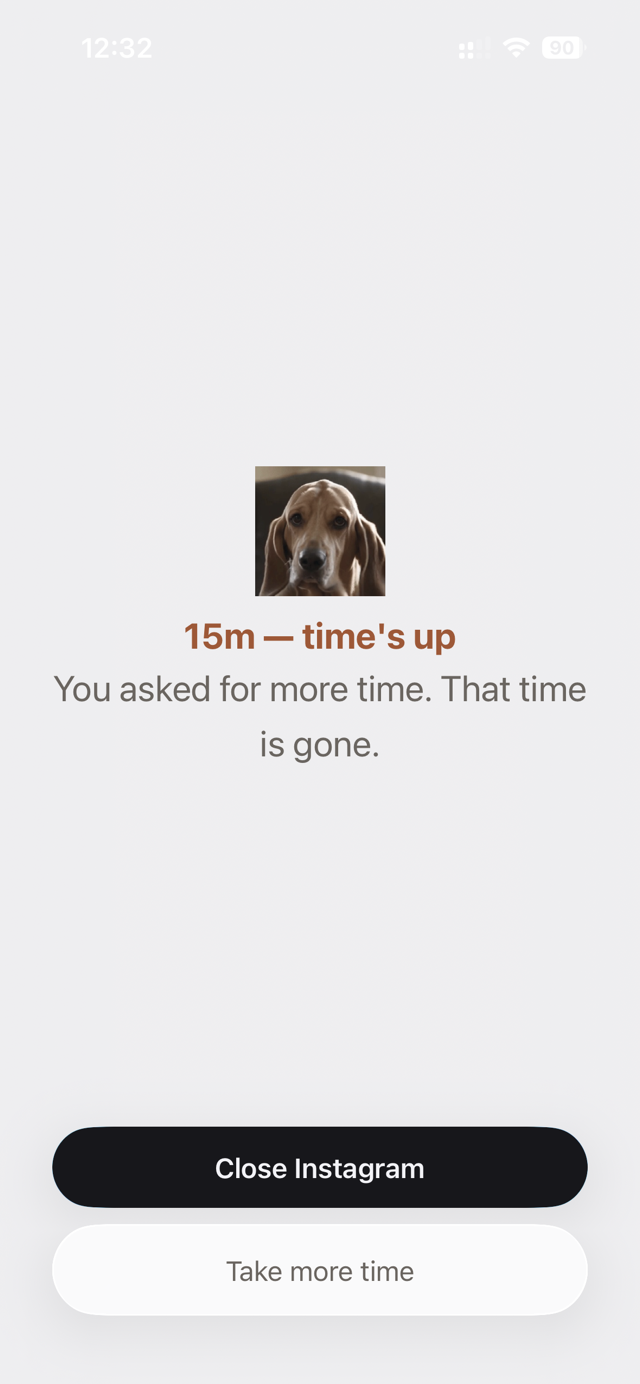
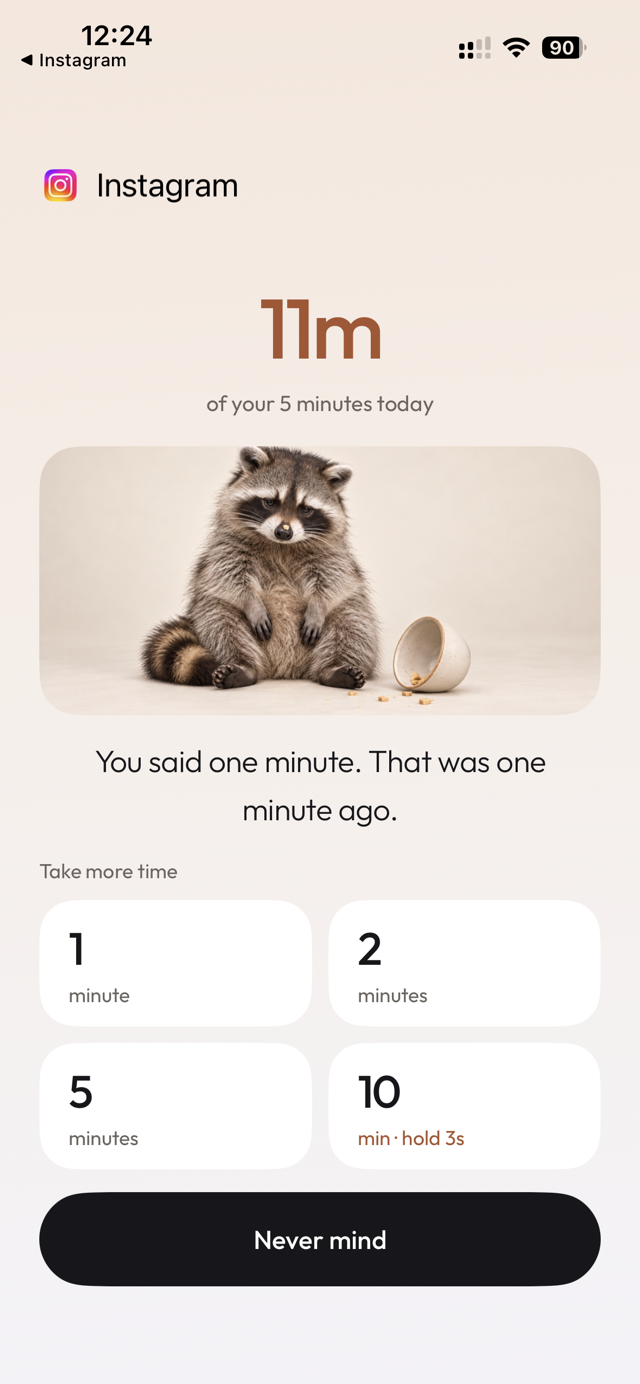
The moment a budget runs out, IntentLock takes over the screen. Extend it on purpose, or walk away.
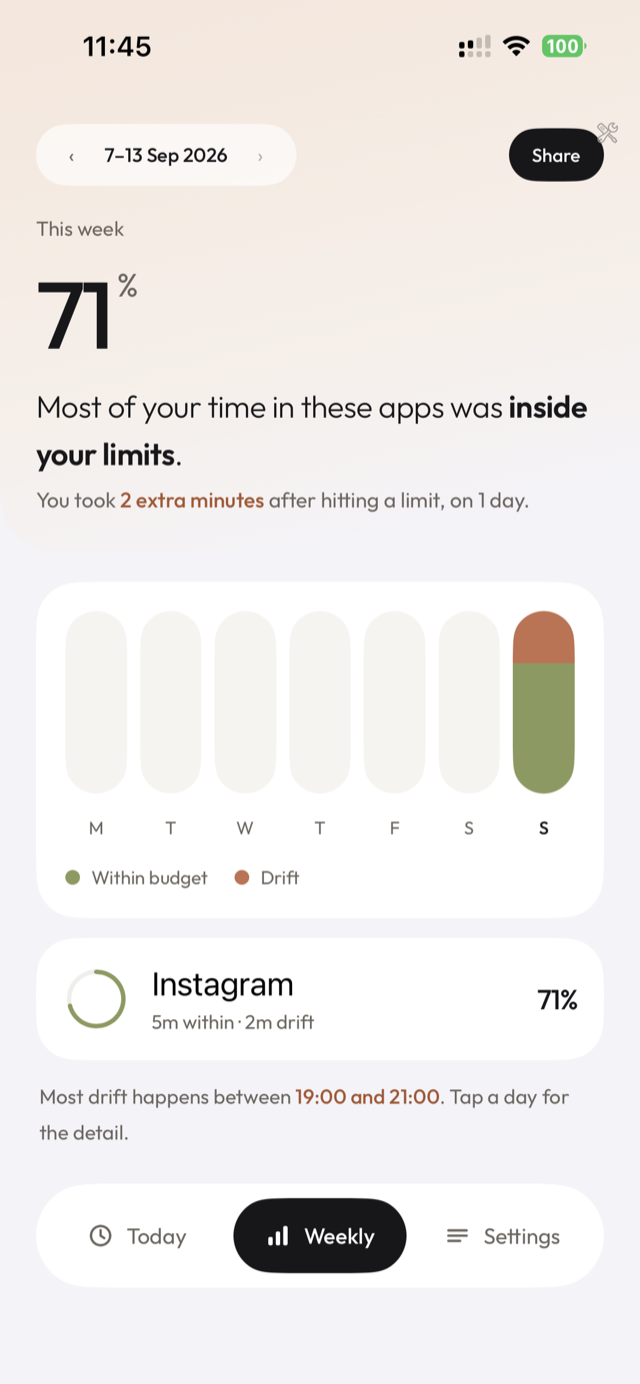
How much of your week stayed within budget, and how much was drift — the minutes taken after a limit was spent.
No account, no server, no analytics. Everything IntentLock knows about you stays on your iPhone.
The lock screen when a budget runs out, taking extra time on purpose, and the week in review.
Screenshot 1
Screenshot 2
Screenshot 3
IntentLock is free to use with two apps on a daily budget. Unlock more apps with a Monthly or Lifetime plan, purchased via Apple In-App Purchase.
Subscriptions are managed by Apple. You can cancel anytime in Settings → Apple ID → Subscriptions.